Go to file
awzhgw bcdfce2656 Refactor: DataNode: compatible old dataPartition Meta info
Signed-off-by: awzhgw <guowl18702995996@gmail.com>
2019-08-16 14:42:09 +08:00
build build: update rocksdb build depends 2019-07-16 22:06:43 +08:00
client fix: redirect stderr to an output file in daemon 2019-08-03 19:58:54 +08:00
clientv2 enhancement: add performance tracepoint for clientv2 2019-08-14 19:54:40 +08:00
cmd go fmt project 2019-07-02 20:11:17 +08:00
datanode Refactor: DataNode: compatible old dataPartition Meta info 2019-08-16 14:42:09 +08:00
docker Fix: docker metanode.cfg add totalMem parameter 2019-08-16 14:42:09 +08:00
docs update docs: remove server and client 2019-07-04 19:28:45 +08:00
master fix: the reported data partition usage decreased, and the statistical usage did not decrease accordingly 2019-08-16 14:42:09 +08:00
metanode Fix: when disk error,the raft cannot start on new data server first: StartRaftAfterRepair func get leader maxExtentID second: loop get leader from 0 to maxExtentID the partitionSize compare local partitionSize 2019-08-16 14:42:09 +08:00
proto Refactoring:change partitionId varliable to partitionID 2019-08-16 14:42:09 +08:00
raftstore misc: multiple changes including refactor, enhancement and feature Refactoring: 1.task dispatch cycles are adjusted from milliseconds to seconds 2.vol name regular expression adjusted to global variable 3.support for creating new connections directly when sending tasks 4.when datanode reports heartbeats,volName should be reported 5.when metanode reports heartbeats,volName should be reported 6.when datanode reports loading data partition,volName should be reported 7.the volName parameter is required when the datanode pulls the datapartition information from the master 8.if the node switches from leader to follower, empty the vol, datanode, metanode and other metadata 9.each index is used to control the selection of datanode and metanode 10.reduce unnecessary logging 11.split meta partition 12.get vol information from cache 2019-08-16 14:42:09 +08:00
repl Refactoring: when disk error,the datapartition recover only recover avali data on tinyExtent 2019-08-16 14:42:09 +08:00
sdk Refactoring SDK: when write datapartition num greater 10 ,then trust master 2019-08-16 14:42:09 +08:00
storage FIX: DataNode: when dataPartition load,if applyId ==0 ,then start Raft 2019-08-16 14:42:09 +08:00
util Refactoring: exporter add ump 2019-08-16 14:42:09 +08:00
vendor enhancement: add raft monitor 2019-08-16 14:42:09 +08:00
.gitignore build: update build.sh 2019-07-10 15:59:45 +08:00
.travis.yml add cfs-base dockerfile 2019-06-18 20:55:18 +08:00
CHANGELOG.md Update CHANGELOG.md 2019-07-19 16:24:27 +08:00
CODE_OF_CONDUCT.md Add code of conduct 2019-04-25 15:15:17 -07:00
CONTRIBUTING.md Add CONTRIBUTING.md 2019-05-07 18:22:17 +08:00
go.mod add go mod 2019-06-20 15:11:09 +08:00
go.sum add go mod 2019-06-20 15:11:09 +08:00
GOVERNANCE.md Add governance 2019-05-06 11:26:33 -07:00
LICENSE Update LICENSE 2019-04-11 15:35:20 +08:00
MAINTAINERS.md Add governance 2019-05-06 11:26:33 -07:00
Makefile build: remove client unused depends 2019-07-12 13:40:01 +08:00
NOTICE init cfs docs 2019-03-04 17:28:58 +08:00
README.md Merge branch 'master' into dev 2019-07-16 18:19:09 +08:00
ROADMAP.md Create ROADMAP.md 2019-04-26 23:32:41 +08:00

ChubaoFS

Build Status LICENSE Language Go Report Card Docs FOSSA Status CII Best Practices

Overview

ChubaoFS (储宝文件系统) is a distributed file system for cloud native applications. It has the following features:

  • scale-out metadata management

  • strong replication consistency for both append and random write

  • specific storage optimizations for large and small files

  • multiple volumes

  • POSIX-compatible

For more details, please refer to our SIGMOD 2019 paper "ChubaoFS: A Distributed File System for Large Scale Container Platforms".

Document

https://chubaofs.readthedocs.io/en/latest/

https://chubaofs.readthedocs.io/zh_CN/latest/

Build

Build latest version of chubaofs is simply as following:

$ git clone http://github.com/chubaofs/chubaofs.git
$ cd chubaofs
$ make

If the build is successful, cfs-server and cfs-client will be found in directory build/bin

Docker

Under the docker directory, a helper tool called run_docker.sh is provided to run ChubaoFS with docker-compose.

To start a minimal ChubaoFS cluster from scratch, note that /data/disk is arbitrary, and make sure there are at least 30G available space.

$ docker/run_docker.sh -r -d /data/disk

If client starts successfully, use mount command in client docker shell to check mount status:

$ mount | grep chubaofs

Open http://127.0.0.1:3000 in browser, login with admin/123456 to view grafana monitor metrics.

Or run server and client seperately by following commands:

$ docker/run_docker.sh -b
$ docker/run_docker.sh -s -d /data/disk
$ docker/run_docker.sh -c
$ docker/run_docker.sh -m

For more usage:

$ docker/run_docker.sh -h

License

Licensed under the Apache License, Version 2.0. For detail see LICENSE and NOTICE.
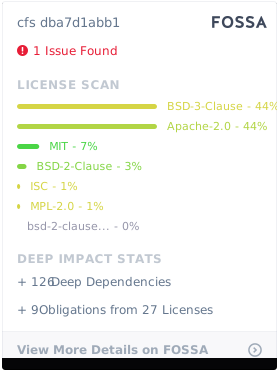
FOSSA Status

Reference

Reference to cite when you use the system in a research paper or tech report:

Haifeng Liu, et al., CFS: A Distributed File System for Large Scale Container Platforms. SIGMOD19, June 30-July 5, 2019, Amsterdam, Netherlands. https://dl.acm.org/citation.cfm?doid=3299869.3314046